Blog
How Automatic Gate Safety Sensors Work ?
Author
Ray
Published
Category
Safety Sensors
Automatic gate safety sensors don’t “guess” obstacles—they create a reliable safety input for the gate controller. Here’s how photo eyes, safety beams, and safety edges work, plus alignment and troubleshooting tips.

Author
Ray
An experienced automation specialist with a strong background in motor technology and industrial solutions. With years of expertise in central motors, tubular motors, and automation systems, the author is dedicated to sharing insights that connect engineering innovation with real-world applications. Passionate about advancing reliable, energy-efficient, and high-performance automation products for global markets.
What’s better than insider perks, pro tips, and surprises?
Sign up to get the most recent blog articles in your email every week.
Join now.
WHY I WRITE THIS
About my business
Our company’s main product lines include tubular motors, sliding gate motors, swing gate motors, roller shutter motors, and other door automation solutions, all manufactured by trusted partner factories we have worked with for many years.
Our Services
I help them with sales and export operations, while our company also provides sourcing and procurement services in China to help international clients solve supply-related challenges. If you need assistance with procurement, please feel free to contact us.
The Gate Safety “Signal Chain” (Sensor → Controller → Reaction)
Understanding how sensors work is easier when you view the system as a chain:
Detection element (what “sees” an obstacle)
Signal behavior (what changes when the beam is blocked or the edge is pressed)
Wiring to the controller (how that signal is transmitted)
Controller interpretation (which input type it expects and what action it commands)
Motor reaction (stop, reverse, or inhibit travel)
What “fail-safe” means in real systems
In safety designs, “fail-safe” generally means: if something goes wrong (sensor disconnected, cable damaged, controller input fault), the system behaves conservatively—often by stopping movement rather than continuing.
A lot of gate safety wiring uses the concept of N.C. (Normally Closed) safety circuits because a broken wire or disconnected sensor can turn the circuit into an “unsafe” state for the controller.
N.C. vs N.O. safety inputs (COM/NC/NO)
You’ll often see terminals labeled like:
COM (common)
NC (normally closed)
NO (normally open)
Conceptually:
N.C.: “Normal” state is closed. If the circuit opens (including wire failure), the controller sees a fault/obstruction.
N.O.: “Normal” state is open. The controller expects the circuit to close when the hazard condition occurs (less common for some fail-safe designs).
Practical implication: If you swap a sensor type or connect it to the wrong input mode, you may get the opposite behavior (e.g., it “works” but triggers backwards, or it never triggers).
Main Types of Gate Safety Sensors (and How They Detect Obstacles)
1) Photoelectric / photocell gate sensors (beam break detection)
Photoelectric gate sensors (sometimes called photocell safety sensors in older terminology) typically come as a pair:
Emitter (sends light, often IR or visible)
Receiver (detects that light)
How it detects obstacles:
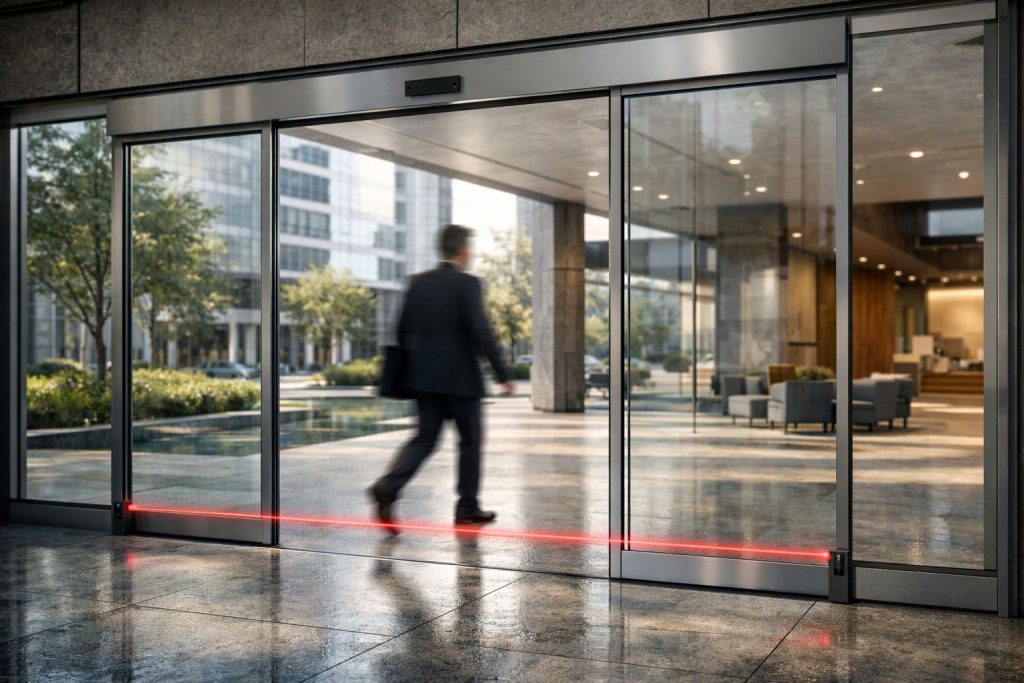
When the moving gate closes, the beam runs across the “danger zone.” If a person or object enters the path, it blocks the light. The receiver no longer sees the emitter’s signal, and the controller treats it as an obstruction.
Key behaviors to know:
The “active” condition is usually beam interruption (often referred to as beam break sensor operation).
Alignment and cleanliness matter: dust, spider webs, water spots, or misalignment can weaken the signal and cause false triggers or missed detection.
2) Infrared gate sensors (IR beam interruptions)
Infrared gate sensors function similarly to photoelectric sensors, but the light is infrared. In most installations, the system still works like:
Normal: IR beam is present
Obstruction: IR beam is interrupted
Controller response: stop/reverse per programming
Weather interference is a common real-world theme here:
Heavy rain, fog, or strong sun can affect optical clarity and sensitivity.
Some sensors have protective design elements (hoods, shielding), but routine cleaning and correct mounting angles still matter.
3) Safety beams / safety light curtains (gate safety beam)
A gate safety beam usually refers to safety-focused optical detection used to protect areas of travel. Depending on the product, a safety beam may be:
A single beam pair (basic protection across a line), or
A more robust optical safety assembly (multiple points or extended coverage)
How it detects obstacles:
Anything that enters the beam path breaks the signal. The controller immediately receives the change and triggers a safety response.
Where they’re used:
Often along the sides of a driveway approach, at the closing path, or where a vehicle/pedestrian might enter the hazard zone during motion.
4) Safety edge for gate (resistive/pneumatic/mechanical)
A safety edge for gate is different from optical beams. Instead of “seeing” across a space, it detects contact, pressure, or impact at the edge of the gate.
Common safety edge types include (terminology varies by manufacturer):
Resistive edge (electrical change under pressure)
Pneumatic edge (air pressure changes when compressed; [source needed] depending on system design)
Mechanical safety edge (physical actuation creates a safety input signal)
How it detects obstacles:
When the gate meets an obstacle (like a car bumper, fence post, or person), the edge compresses or actuates. That changes the safety input state, telling the controller to stop and/or reverse.
Why safety edges are crucial:
They cover the “right where the gate meets something” scenario that beams may not fully detect due to geometry, timing, or line-of-sight limitations.
5) Safety sensor for gate opener (controller input integration)
A safety sensor for gate opener is often not a single “sensor” in isolation; it’s the combination of:
the sensing device (beam pair, edge, loop, etc.)
the wiring to the controller
the controller logic (input type and reaction)
In many systems, the gate control board has dedicated inputs for safety devices. The controller then decides what action to take—commonly preventing travel, stopping motion, or reversing.
6) Obstacle detection for automatic gates (system-level coverage)
Obstacle detection for automatic gates is a broader term. It usually means you don’t rely on just one method. Many installations combine:
optical detection (photoelectric/IR/safety beam) for early recognition, and
mechanical detection (safety edge) for contact events
This overlap improves reliability across real-world conditions (misalignment, weather, corner cases).
7) Swing gate safety sensors vs sliding gate safety sensors
Although both categories use similar technology, placement differs:
Swing gate safety sensors: protect areas that open/close through a hinged arc. Beams and edges are positioned to cover the sweep zone.
Sliding gate safety sensors: protect the linear closing path and the overlap area where the gate slides past posts and walls.
Installation geometry is the real deciding factor—sometimes more than the sensor type.
8) Gate loop presence detection (where applicable)
Some systems use loop-style or presence sensing to detect a vehicle/presence. Behavior varies widely by product and control logic. Treat loop sensors as additional inputs for presence or travel inhibition rather than assuming they replace dedicated safety edges/beam protection.
If your gate system is specifically about “anti-entrapment” safety, optical safety and safety edges are usually the core components. Loop/presence sensors can support functionality depending on the control board configuration. [source needed]
How the Gate Controller Uses Sensor Inputs (Stop vs Reverse)
A sensor rarely “knows” what the gate should do. The controller decides.
Typical controller logic (conceptual)
When a gate is moving, the controller monitors safety inputs. If an input indicates obstruction:
The controller may immediately command a stop.
For closing motion, it often commands reversing for a short distance (to reduce injury risk).
During opening motion, the response may differ based on programming (some systems stop but don’t reverse; others reverse to clear the hazard).
Why the reaction depends on motion state
Sensors are triggered by different events:
Beam interruption: an object entered the beam path
Safety edge activation: contact occurred
Wiring fault/fail-safe: sensor did not report expected state
The controller might treat these events similarly (stop/reverse), but exact behavior depends on the design and configuration.
Installation and Alignment: The #1 Reason Sensors Fail
If you’re troubleshooting “why it doesn’t work,” start with installation quality. Even a good sensor will struggle if the system is mounted incorrectly.
Photo eyes / beams: alignment and lens cleanliness
For photoelectric gate sensors and infrared gate sensors, alignment is everything:
Ensure the emitter and receiver are aimed so the receiver can “see” the emitter reliably.
Keep optical surfaces clean (dust, moisture, and film reduce signal strength).
Use proper mounting hardware so vibration or weather doesn’t shift alignment.
Avoid mounting locations where the beam will be partially blocked by vegetation or nearby structures.
Tip for real diagnostics:
When checking a beam sensor, look for “symptoms”:
If it triggers when nothing is in the way → likely misalignment or contamination causing false negatives/positives.
If it never triggers → likely wiring/input mismatch, sensor inactivity, or severe misalignment/obstruction by the environment.
Safety edges: mounting position and mechanical protection
For a safety edge for gate:
Mount it at the zone where contact is expected.
Ensure the edge is protected from damage (e.g., scraping, repeated impacts that deform the sensor).
Confirm that wiring is not stretched or routed where it can be pinched.
Verify the edge has mechanical freedom to compress/actuate as designed.
How to Test a Gate Safety Sensor (Safe, Practical Checks)
You’ll see “test” advice online, but safety systems are not the place for guesswork. Use manufacturer procedures first. Still, there are safe, general checks you can do.
Featured-snippet-ready checklist: How to test operation
Gate Safety Sensor Testing (high-level):
Confirm power and controller status (per manual).
Inspect the sensor (clean lenses, check the safety edge cable/connector for damage).
Check wiring terminals match the controller input type (N.C./N.O., COM/NC/NO as labeled).
For beam sensors, briefly obstruct the beam using an appropriate method (not by placing hands in the hazard zone).
Confirm the controller responds as expected: stop and/or reverse during the relevant motion phase.
Remove the obstruction and verify the gate returns to normal operation.
(Always follow your gate manual and local safety requirements; avoid testing procedures that put fingers/arms in moving areas.)
Functional testing: what “good” should look like
A properly working system usually demonstrates:
Consistent triggering when the beam is blocked or the edge is actuated
No spontaneous triggering in normal conditions
Safe response behavior configured on the controller
If the behavior is inconsistent:
Recheck alignment/cleanliness for optical sensors.
Check physical integrity for safety edges (deformation, worn wiring, loose connectors).
Verify the controller input mode matches the device type.
Gate Sensor Troubleshooting: Common Causes and Fixes
Misalignment, weather interference, and sunlight
Symptoms:
False triggers after rain or in morning/evening sun
Missed triggers depending on weather and angle
Likely causes:
Beam drift due to loose mounts
Lens film, condensation, or debris
Environmental interference (e.g., glare)
What to try:
Clean and inspect sensor optics
Re-align emitter/receiver using the manufacturer’s guidance
Ensure proper weather shielding and mounting stability
Wiring issues and bad terminations
Symptoms:
Sensor works intermittently
Controller fault appears (or gate refuses to move)
Behavior changes after heavy wind or gate vibration
Likely causes:
Loose terminals at the wiring terminals / COM/NC/NO connections
Damaged cable jacket allowing intermittent shorts/opens
Pinched wires from poor routing
What to try:
Inspect connections at the controller and sensor ends
Re-seat connectors/terminals (power off per procedure)
Look for cable abrasion and replace if damaged
Damaged edges and degraded components
Symptoms:
Safety edge triggers randomly or doesn’t trigger when pressed
Edge looks uneven or has permanent deformation
Likely causes:
Safety edge actuation surface impacted repeatedly
Water ingress into edge housing
Internal component wear (varies by edge type)
What to try:
Inspect the edge for physical damage
Check wiring integrity and strain relief
Replace the edge if the sensor body is compromised (repairs are often not reliable)
Fail-safe behavior confusion (N.C. vs N.O.)
Symptoms:
Gate stops all the time
Gate won’t stop even when beam/edge is triggered
Inverted behavior (triggered state looks normal to controller)
Likely causes:
Controller input configured for different signal type than the sensor outputs
Wrong terminal mapping (e.g., connecting to COM/NC when controller expects COM/NO)
What to try:
Verify input type settings per controller manual
Confirm wiring to the correct terminals
Maintenance Tips for Weatherproof Reliability
Automatic gate sensors live outdoors. Reliability comes from predictable maintenance, not just better hardware.
Cleaning frequency and what to avoid
For optical sensors:
Clean lenses regularly, especially after dust storms, pollen seasons, or heavy rain.
Avoid abrasive cleaners that scratch protective covers.
Ensure you dry surfaces to reduce residue and spotting.
For safety edges:
Keep contact surfaces free of debris.
Inspect housings and cable routing after impacts.
When to replace instead of repair
Replace rather than repair when:
the sensor housing is cracked or water ingress is suspected
cables show repeated damage or internal breakage
safety edge components are permanently deformed
beam alignment cannot be maintained due to mounting failure
Fail-safe safety systems depend on predictable behavior—temporary fixes can reduce safety margin. If in doubt, replace the component and test thoroughly.
Conclusion
So, how do automatic gate safety sensors work? They function as reliable “safety witnesses” for the gate controller. Photoelectric gate sensors and infrared gate sensors detect obstacles by monitoring a light path (beam break). A safety edge for gate detects contact by changing state under compression or impact. When the controller sees the safety input change—whether due to obstruction detection or fail-safe signal loss—it commands the motor to stop and often reverse, reducing the risk of entrapment.
If your system behaves inconsistently, the fastest path is usually: confirm the controller input type (N.C./N.O.), verify wiring terminals, check alignment and cleanliness for optical sensors, and inspect safety edges for physical wear.
FAQ
1) What is a gate safety sensor?
A gate safety sensor is a device (optical beam, infrared photo eye, safety edge, etc.) that provides an input to the gate control board to detect obstacles or faults and trigger stop/reverse behavior for safety.
2) Why does my gate safety sensor keep triggering when nothing is in the way?
Common causes include misalignment of photoelectric/IR sensors, dirty lenses, environmental interference (sun/glare or weather), or a damaged safety edge or wiring connection creating false input changes.
3) What’s the difference between a safety beam and a safety edge?
A safety beam detects obstacles by interrupting an optical signal across the travel zone. A safety edge detects obstacle contact at the gate itself by pressure/impact actuation.
4) How do you test a gate photo eye sensor?
Visually inspect and clean the lenses, verify wiring terminals and controller input type (N.C./N.O.), then safely obstruct the beam using an appropriate method and confirm the controller stops/reverses as expected.
5) What does fail-safe mean for gate sensors?
Fail-safe means the system is designed so that if the sensor circuit fails (disconnected wire, broken connection, sensor fault), the controller will not continue normal movement and instead moves to a conservative safety response.
6) Can I use the same sensors on a swing gate and a sliding gate?
You can often use the same types of sensors (photoelectric, safety edge), but placement and coverage differ because the hazard geometry is different.
Other Blogs