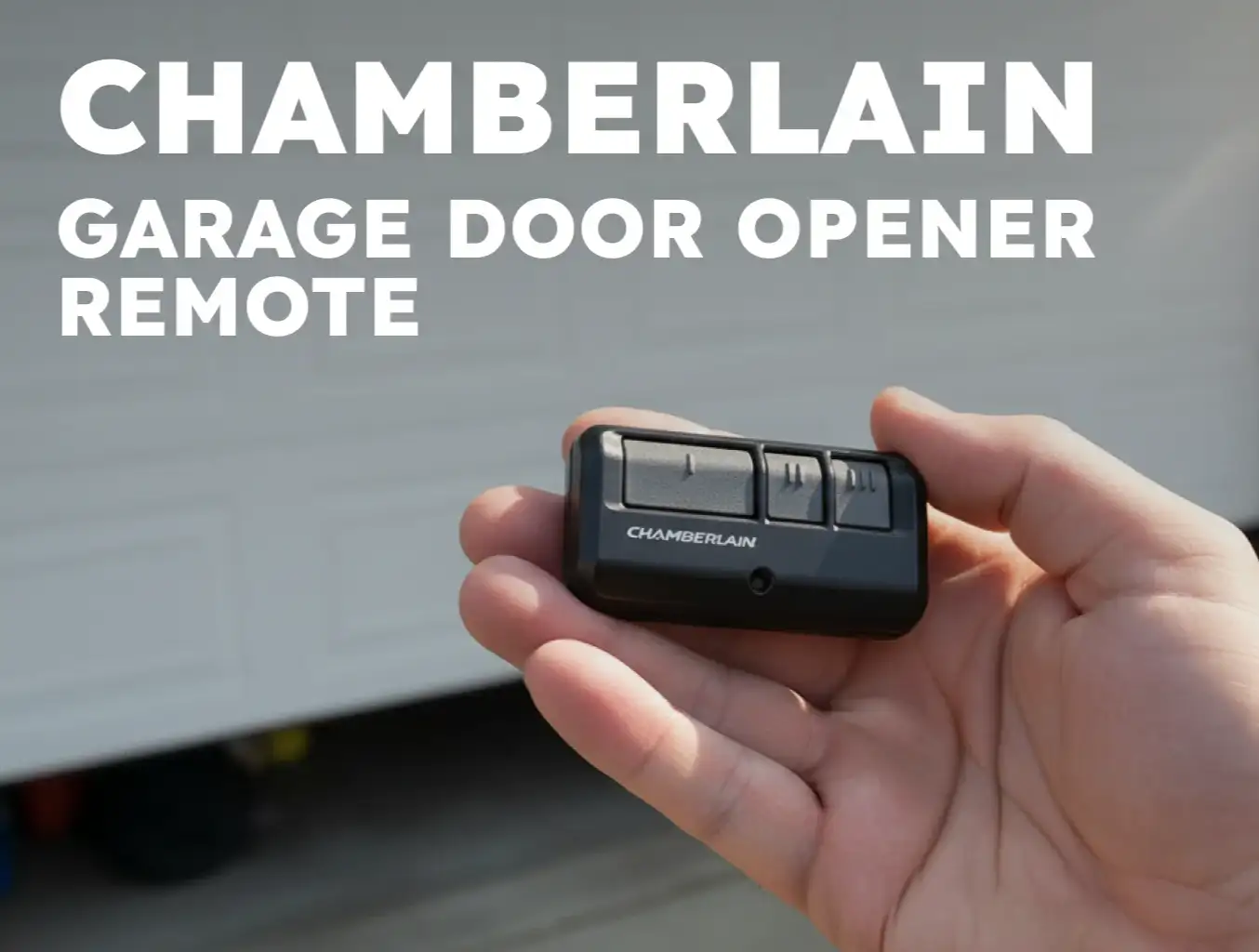
Blog
How to Program a LiftMaster Garage Door Opener: Step-by-Step Guide
Author
Ray
Published
Category
Guide
Learn how to program a LiftMaster garage door opener, remote, keypad, and car. Follow step-by-step instructions and troubleshoot common programming problems.


Author
Ray
An experienced automation specialist with a strong background in motor technology and industrial solutions. With years of expertise in central motors, tubular motors, and automation systems, the author is dedicated to sharing insights that connect engineering innovation with real-world applications. Passionate about advancing reliable, energy-efficient, and high-performance automation products for global markets.
What’s better than insider perks, pro tips, and surprises?
Sign up to get the most recent blog articles in your email every week.
Join now.
WHY I WRITE THIS
About my business
Our company’s main product lines include tubular motors, sliding gate motors, swing gate motors, roller shutter motors, and other door automation solutions, all manufactured by trusted partner factories we have worked with for many years.
Our Services
I help them with sales and export operations, while our company also provides sourcing and procurement services in China to help international clients solve supply-related challenges. If you need assistance with procurement, please feel free to contact us.
Programming a LiftMaster garage door opener is usually straightforward, but the exact procedure can vary depending on the opener model, remote control, wall control panel, and security technology being used.
For many LiftMaster systems, programming a remote involves the LEARN button on the garage door opener. Newer systems may also allow programming through a wall-mounted control panel. If you want to control the garage door from your vehicle, the procedure may involve HomeLink® and can depend on the vehicle's make, model, and year.
This guide explains how to program a LiftMaster garage door opener step by step, including how to program a remote, wireless keypad, and vehicle. It also covers how to erase programmed devices and what to check when programming does not work.
Important: LiftMaster has many garage door opener models and accessories. Button names, Learn button colors, programming sequences, and compatibility can vary. Always check the owner's manual for your specific model before changing programming or erasing stored devices.
What You Need Before Programming a LiftMaster Garage Door Opener
Before you start, identify the equipment you are trying to program.
You may need:
A LiftMaster garage door opener
A compatible LiftMaster remote control
A wireless keyless entry keypad
The garage door opener's wall control panel
A vehicle equipped with HomeLink, if programming the opener to your car
A ladder if the LEARN button is difficult to reach
The owner's manual for your specific LiftMaster model
The first thing to identify is the LEARN button.
On many LiftMaster openers, the LEARN button is located on the back or under the light cover of the opener, often near the antenna. LiftMaster also uses different LEARN button colors across its product range, including yellow, purple, green, and orange/red. The color can help determine accessory compatibility.
Do not assume that every LiftMaster remote works with every LiftMaster opener. Remote compatibility depends on the opener and its technology.
For example, LiftMaster lists different compatibility requirements for its remote controls, and some older remotes are not compatible with newer systems.
How to Program a LiftMaster Garage Door Opener Remote
The most common reason people search for "how to program a LiftMaster garage door opener" is to add a new remote or replace an existing one.
For many LiftMaster models, the remote can be programmed using the LEARN button on the garage door opener.
Step 1: Locate the LEARN Button
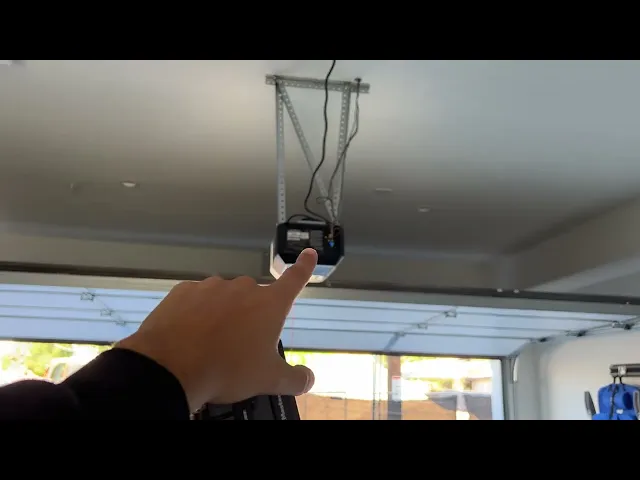
Stand inside the garage and locate the garage door opener unit.
Look for the LEARN button. Depending on the model, it may be positioned under a light cover or near the antenna.
The LEARN button may have a colored indicator LED next to it.
If you cannot locate the button, consult the owner's manual for your specific LiftMaster model.
Step 2: Press and Release the LEARN Button
Press and release the LEARN button on the garage door opener.
Do not hold the button unless the instructions for your specific model require you to do so.
On many LiftMaster systems, pressing the LEARN button activates the programming mode.
Step 3: Press the Remote Control Button
Within the programming period, press and hold the button on the remote control that you want to use.
On compatible LiftMaster systems, the opener lights may flash or the opener may provide another confirmation when the remote has been successfully programmed.
Step 4: Test the Remote
After programming, move to a safe position and press the programmed remote button.
The garage door should respond if the remote has been successfully paired with the opener.
If the door does not respond, do not immediately erase the opener's memory. First check:
Remote battery condition
Remote compatibility
LEARN button color and compatibility
Programming sequence
Distance from the opener
Whether another remote already operates the opener
LiftMaster's current remote compatibility system specifically recommends identifying the opener's LEARN button and checking compatibility before selecting a replacement remote.
How to Program a LiftMaster Remote Using the Wall Control
Some LiftMaster systems provide another programming method through a compatible wall-mounted control panel.
For example, certain LiftMaster models use a menu system where you can select PROGRAM, followed by REMOTE or KEYPAD.
A typical sequence on supported models is:
Press the navigation button below MENU.
Navigate to PROGRAM.
Select REMOTE.
Press the desired button on the remote control.
Wait for the opener to confirm that the code has been programmed.
Test the remote.
The exact menu layout depends on the model and control panel. LiftMaster documentation for certain Wi-Fi garage door openers shows this menu-based programming process as an alternative to programming through the opener's LEARN button.
If your wall control does not have these menu options, use the programming method specified for your model instead.
How to Program a LiftMaster Wireless Keypad
A wireless keypad allows you to operate the garage door without carrying a handheld remote.
Programming normally requires you to create a personal identification number, or PIN.
On supported LiftMaster systems, the keypad can be programmed through the garage door opener or a compatible wall control.
Using a Compatible Wall Control
For models that support menu-based programming:
Open the programming menu on the wall control.
Select PROGRAM.
Select KEYPAD.
Enter a four-digit PIN on the wireless keypad.
Press ENTER.
Wait for the opener to confirm the programming.
Test the keypad.
LiftMaster documentation for supported models describes a four-digit PIN programming procedure through the control panel.

Using the LEARN Button
Some LiftMaster wireless keypads can instead be programmed using the LEARN button on the opener.
Because LiftMaster has multiple keypad models and opener generations, the exact sequence should be taken from the keypad's instructions and the opener's compatibility information.
This is particularly important if you are replacing an older keypad.
How to Program a LiftMaster Garage Door Opener to Your Car
If you want to open the garage door directly from your vehicle, your vehicle may have HomeLink® built into the interior.
HomeLink is an in-vehicle wireless system that can control compatible garage doors and gates. LiftMaster provides dedicated HomeLink compatibility information for its garage door openers.
The general process involves teaching the vehicle's HomeLink button to operate the garage door opener.
However, the exact steps vary by vehicle.
Step 1: Check Whether Your Vehicle Has HomeLink
Look around the vehicle's overhead console, rearview mirror area, sun visor, or other integrated control area for the HomeLink logo.
HomeLink can be integrated into different parts of the vehicle depending on the manufacturer.
Step 2: Prepare the Original Remote
If your vehicle requires the original handheld garage door remote during the initial training process, keep it available.
Position the remote according to the vehicle manufacturer's HomeLink instructions.
Step 3: Train the HomeLink Button
Press and hold the selected HomeLink button while following the vehicle's programming procedure.
The vehicle may indicate when it has learned the remote signal.
Step 4: Complete Rolling-Code Training if Required
Some garage door openers use rolling-code technology.
With these systems, teaching the vehicle the basic remote signal may not be the final step. You may also need to activate the garage door opener's LEARN or program function and then press the programmed HomeLink button inside the vehicle.
The exact sequence depends on the vehicle and garage door opener.
Step 5: Test the Vehicle Button
After completing programming, park where you can safely observe the garage door.
Press the HomeLink button and confirm that the garage door responds correctly.
If the vehicle does not operate the opener, check the HomeLink instructions for your vehicle and the compatibility information for your LiftMaster model.
LiftMaster specifically notes that some vehicles equipped with HomeLink may require an external adapter depending on the vehicle's make, model, and year.

What Is the LiftMaster LEARN Button?
The LEARN button is one of the most important controls for programming LiftMaster accessories.
It allows the garage door opener to learn the code or signal from compatible devices such as remote controls and, on supported systems, keyless entry devices.
The location and color of the LEARN button vary between LiftMaster models.
Common colors include:
Yellow
Purple
Green
Orange/red
LiftMaster's accessory compatibility information uses the LEARN button color as one of the ways to identify compatible remotes and keypads.
However, the color should not be treated as a universal programming rule.
The opener model, remote model, security technology, and accessory type all matter.

How to Erase a LiftMaster Garage Door Opener Remote
If you have lost a remote or want to remove old devices from the opener's memory, you may need to erase the stored programming.
For certain LiftMaster models, holding the LEARN button until the LEARN LED turns off—approximately six seconds—erases all programmed remote controls and keyless entries.
After the memory is erased, previously programmed accessories must be programmed again.
Important: Do Not Erase the Memory Unless Necessary
Erasing the memory is different from programming one additional remote.
If your only goal is to add a new remote, you generally do not need to erase every existing remote first.
Erasing all devices can create unnecessary work because you may need to reprogram:
Handheld remotes
Wireless keypads
Other compatible accessories
Certain smart accessories
Some LiftMaster models also provide separate procedures for erasing all devices, including certain myQ-enabled accessories.
Therefore, identify what you actually want to remove before holding the LEARN button for an extended period.
How to Reset a LiftMaster Garage Door Opener
"Reset" can mean several different things when people talk about a garage door opener.
You may want to:
Reprogram one remote
Remove all remotes
Remove all programmed accessories
Reset a wireless network connection
Reconfigure a keypad
Restore the opener after a programming problem
These are not necessarily the same procedure.
For example, certain LiftMaster models have separate procedures for erasing remote/keyless-entry memory and erasing the Wi-Fi network. The procedures use different controls and should not be treated as interchangeable.
Before performing a reset, identify exactly what needs to be reset.
If you are troubleshooting a single remote, replacing the battery and checking compatibility may be more appropriate than clearing the entire opener memory.
LiftMaster Garage Door Opener Troubleshooting
Even when the programming process appears simple, several issues can prevent a remote, keypad, or vehicle from working correctly.
The LiftMaster Remote Does Not Work
Start with the simplest checks.
Check the Battery
A weak or dead battery can prevent the remote from transmitting a usable signal.
Replace the battery if necessary and test the remote again.
Check Compatibility
Not every LiftMaster remote works with every LiftMaster opener.
Check the opener's model and LEARN button color, then verify the remote's compatibility before attempting to program it. LiftMaster provides compatibility information for its current remotes and keypads.
Program the Remote Again
If the remote is compatible but does not operate the door, repeat the programming process according to the opener's manual.
Do not assume that a failed programming attempt means the opener itself is defective.
The Garage Door Opener Does Not Respond During Programming
If pressing the LEARN button does not produce the expected response:
Confirm that the opener has power.
Locate the correct LEARN button.
Check the opener's manual.
Verify that the accessory is compatible.
Repeat the programming sequence.
Avoid holding buttons longer than the instructions specify.
Some LiftMaster models use a wall control panel rather than the opener's LEARN button for certain accessories. For example, LiftMaster's Model 8500 documentation specifies programming accessories through the MyQ control panel rather than the yellow LEARN button on the opener.
This is why identifying the exact opener model matters.
The Keypad Does Not Open the Garage Door
If the keypad has been programmed but does not operate the door:
Check the keypad battery.
Confirm the PIN.
Verify that the keypad is compatible.
Reprogram the keypad according to its instructions.
Check whether the opener's memory was recently erased.
If the opener memory was cleared, previously programmed keypads may need to be programmed again.
HomeLink Works During Programming but Does Not Open the Door
This can happen when the vehicle has learned the remote signal but the opener requires an additional rolling-code training step.
Check:
Vehicle-specific HomeLink instructions
LiftMaster compatibility
Whether an external HomeLink adapter is required
Whether the opener's LEARN button needs to be activated during the final programming stage
LiftMaster notes that HomeLink compatibility and adapter requirements can depend on the vehicle's make, model, and year.
How Many Remotes Can Be Programmed to a LiftMaster Garage Door Opener?
The number of devices that can be programmed depends on the specific LiftMaster opener and its technology.
For example, the manual for one LiftMaster 8550W model states that up to 40 Security+ 2.0 remote controls can be programmed. That number should not be generalized to every LiftMaster garage door opener.
Older and different LiftMaster models can have different memory capacities.
Therefore, if you need to program a large number of remotes or access devices, check the exact model documentation rather than relying on a general number.
This is particularly important for:
Apartment buildings
Commercial garages
Multi-user facilities
Property management applications
Shared parking facilities
Industrial buildings
When Should You Replace a LiftMaster Garage Door Opener?
Programming problems do not always mean that the opener needs to be replaced.
In many cases, the problem is simply a dead remote battery, incompatible accessory, or incorrect programming procedure.
However, replacement may be worth considering when the opener has repeated operational problems or when the system no longer meets the requirements of the property.
Potential reasons to evaluate a replacement include:
Frequent programming problems
Repeated remote-control failures
Outdated control technology
Difficulty obtaining compatible accessories
Excessive operating noise
Repeated mechanical or electrical problems
Requirements for a different door configuration
Need for a new control system
Need for a different type of door operator
Before replacing the entire system, identify whether the problem is actually related to the opener, remote, keypad, receiver, wiring, or door itself.
For commercial and industrial applications, selecting the correct door operator is especially important because the operator must match the door type, operating cycle, dimensions, control requirements, and application environment.
Choosing a Garage Door Opener for OEM and Replacement Applications
For distributors, door manufacturers, installers, and garage-door automation companies, the programming process is only one part of selecting a suitable door operator.
A complete evaluation should consider:
Door Type
Different doors require different operator configurations.
The operator should be selected according to the actual door construction and operating mechanism.
Operating Frequency
Residential and commercial doors can have very different operating requirements.
A high-cycle commercial door may require an operator designed for more frequent operation than a typical residential garage.
Control Method
Consider whether the application requires:
Push-button control
Remote control
Wireless keypad
Vehicle integration
Smart control
External control systems
Multiple user access
Safety Requirements
A garage door operator is part of a larger door system.
Safety devices, control systems, installation conditions, and the mechanical condition of the door all need to be considered during selection and installation.
OEM Customization
For manufacturers and distributors, OEM requirements may extend beyond the operator itself.
Depending on the project, buyers may need customized:
Motor specifications
Control systems
Housing
Wiring
Remote controls
Packaging
Labels
Product branding
Documentation
For a large-volume project, discussing these requirements with the manufacturer before production can help avoid compatibility problems later.
CHINA-DEVELOP Garage Door Automation Solutions
CHINA-DEVELOP has been focused on door automation since 2006, providing garage door and automatic door solutions for international markets.
For distributors, door manufacturers, installers, and other B2B buyers, the right garage door operator should be evaluated based on the application rather than simply selecting a motor based on power or appearance.
An OEM supplier can also help buyers evaluate the operator configuration, control method, door compatibility, and customization requirements before placing a production order.
For projects involving garage door motors, sectional door operators, or customized door automation equipment, working directly with an experienced manufacturer can provide a more practical route than trying to adapt a residential opener to a commercial application.
Frequently Asked Questions About Programming a LiftMaster Garage Door Opener
How do I program a LiftMaster garage door opener?
For many LiftMaster models, press and release the LEARN button on the opener, then press the desired button on the compatible remote. Wait for the opener to confirm the programming and test the remote. The exact procedure varies by model.
Where is the LEARN button on a LiftMaster garage door opener?
The LEARN button is commonly located on the back of the opener, under the light cover, or near the antenna. Its color varies by model and may be yellow, purple, green, or orange/red.
How do I program a LiftMaster remote?
Locate the opener's LEARN button, press and release it, then press and hold the desired button on a compatible remote. The opener will normally provide a confirmation when the programming is successful.
How do I program a LiftMaster keypad?
Depending on the model, you may program the keypad through the wall control or using the opener's LEARN button. Supported systems commonly require a four-digit PIN. Always follow the instructions for the specific keypad and opener combination.
Can I program a LiftMaster garage door opener to my car?
Yes, if your vehicle has a compatible HomeLink system. The programming process depends on the vehicle and garage door opener. Some vehicles may require an external adapter.
Why won't my LiftMaster remote program?
Common causes include an incompatible remote, incorrect programming sequence, weak remote battery, or a different programming method required by the opener model. Check the LEARN button and accessory compatibility before troubleshooting further.
How do I erase all LiftMaster remotes?
On certain LiftMaster models, pressing and holding the LEARN button until the LEARN LED turns off, approximately six seconds, erases all remote controls and keyless-entry codes. The exact procedure varies by model.
Does resetting a LiftMaster opener erase all remotes?
It can, depending on the reset procedure. Erasing the opener's remote/keyless-entry memory is different from resetting a Wi-Fi connection or reprogramming one remote. Confirm the purpose of the reset before proceeding.
How many remotes can a LiftMaster garage door opener support?
The capacity varies by model. Some LiftMaster Security+ 2.0 systems support a large number of remote controls, while other models have different limits. Check the owner's manual for the exact opener model.
Do all LiftMaster remotes work with all LiftMaster openers?
No. Compatibility depends on the opener model, security technology, LEARN button configuration, and remote model. LiftMaster provides compatibility information for its remotes and keypads.
Final Thoughts
Learning how to program a LiftMaster garage door opener is usually a matter of identifying the correct programming method and using a compatible accessory.
For many systems, the LEARN button provides the starting point for programming a remote or keypad. Other LiftMaster models use a wall control panel with a programming menu. Vehicle integration adds another layer because HomeLink programming can vary according to the vehicle and may require additional rolling-code training or an adapter.
The most important rule is to identify the exact LiftMaster model before programming, resetting, or replacing any component.
If programming problems continue after checking the remote battery, compatibility, and programming procedure, the issue may be related to the opener, receiver, control system, or door itself. For replacement and OEM applications, choosing the correct door operator for the actual door and operating environment is more important than simply selecting a motor based on nominal power.
Other Blogs