Blog
How to Program a Garage Door Opener to Your Car: A Step-by-Step Guide
Author
Ray
Published
Category
Guide
Learn how to program a garage door opener to your car using HomeLink or a compatible vehicle system. Follow step-by-step instructions for fixed and rolling code openers, plus troubleshooting tips.


Author
Ray
An experienced automation specialist with a strong background in motor technology and industrial solutions. With years of expertise in central motors, tubular motors, and automation systems, the author is dedicated to sharing insights that connect engineering innovation with real-world applications. Passionate about advancing reliable, energy-efficient, and high-performance automation products for global markets.
What’s better than insider perks, pro tips, and surprises?
Sign up to get the most recent blog articles in your email every week.
Join now.
WHY I WRITE THIS
About my business
Our company’s main product lines include tubular motors, sliding gate motors, swing gate motors, roller shutter motors, and other door automation solutions, all manufactured by trusted partner factories we have worked with for many years.
Our Services
I help them with sales and export operations, while our company also provides sourcing and procurement services in China to help international clients solve supply-related challenges. If you need assistance with procurement, please feel free to contact us.
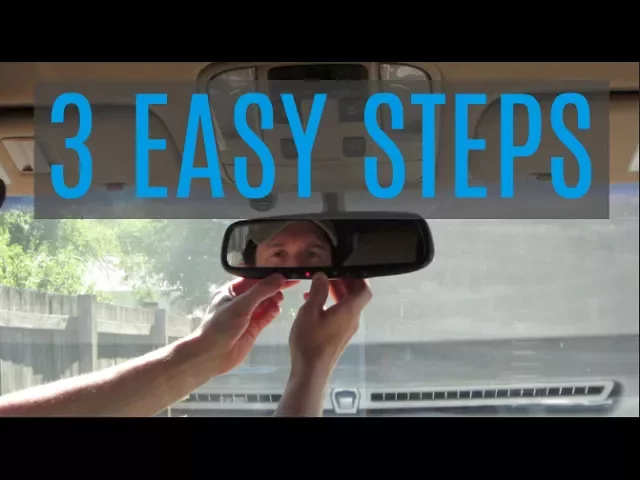
Learning how to program a garage door opener to your car can make daily garage access much easier. Instead of keeping a separate handheld remote in the vehicle, many cars allow you to use built-in buttons located on the rearview mirror, overhead console, sun visor, or another part of the interior.
The basic process is straightforward, but the exact procedure depends on your vehicle, the garage door opener, and whether the opener uses a fixed code or a rolling code. Systems such as HomeLink can learn the signal from an existing garage door remote, while rolling-code openers usually require an additional synchronization step at the garage door motor.
This guide explains how to connect a garage door opener to a car, how to program HomeLink, how rolling-code programming works, and what to check when the vehicle button does not operate the garage door.
What You Need Before Programming a Garage Door Opener to Your Car
Before starting garage door opener car programming, gather the equipment and information you will need.
In most cases, you should have:
Your vehicle with its built-in garage door opener or HomeLink system
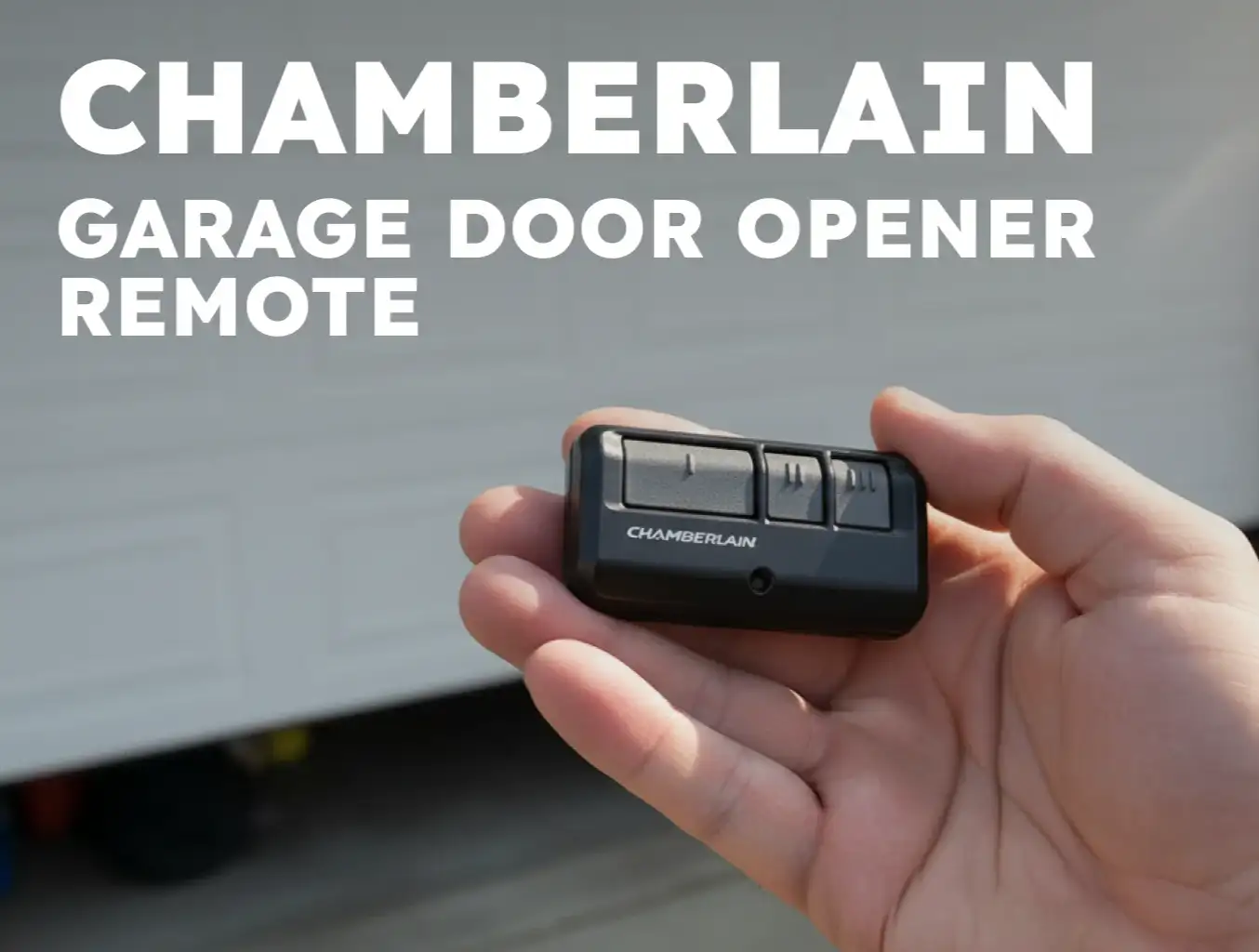
The original handheld garage door remote
The garage door opener motor unit
A fresh battery in the handheld remote
Access to the Learn, Smart, or Program button on the opener
Your vehicle owner's manual
HomeLink recommends using a new battery in the handheld transmitter because a weak battery can make the learning process unreliable. It also recommends parking the vehicle outside the garage and keeping people and objects clear of the door's movement area before programming.
Check Whether Your Car Has a Built-In Garage Door Opener
A built-in garage door opener may be located in different places depending on the vehicle.
Common locations include:
Rearview mirror
Overhead console
Sun visor
Center stack
Other dedicated vehicle control panels
HomeLink states that the location varies by vehicle make, model, and year, so the owner's manual is the best place to identify the exact controls in your car.
Check Your Garage Door Opener Type
You also need to know whether your opener uses a fixed code or rolling code.
A fixed-code system can often be trained directly using the handheld remote.
A rolling-code system changes the transmitted security code after each use. With these systems, the vehicle first learns the remote signal and then usually needs to be synchronized with the garage door opener motor.
If the vehicle indicator light changes to a rapid flash but the garage door does not respond, this can indicate that the rolling-code portion of the setup still needs to be completed.

How to Program Garage Door Opener to Car
The general process for programming a compatible vehicle system can be divided into three stages:
Prepare the vehicle and remote.
Train the vehicle with the handheld garage door remote.
Complete rolling-code synchronization when required.
Because vehicle interfaces vary, use your owner's manual as the primary reference when its instructions differ from the general procedure below. HomeLink also provides model-specific programming information for many vehicle brands.
Step 1: Park the Car in a Safe Position
Park the vehicle outside the garage and position it so you can operate the vehicle controls comfortably.
Make sure:
The garage door opening is clear.
No person is standing near the moving door.
No vehicle or object is directly in the door's path.
You can reach the garage door opener safely if a rolling-code step is necessary.
This matters because the door may activate unexpectedly during programming. HomeLink specifically recommends keeping people and objects out of the way.
Step 2: Locate Your Vehicle's Garage Door Opener Buttons
Find the buttons used for the vehicle's built-in garage door opener.
For HomeLink-equipped vehicles, the controls may be positioned in the mirror, overhead console, center stack, or another location specified by the vehicle manufacturer.
Select the button you want to assign to your garage door.
Step 3: Clear an Old HomeLink Code if Necessary
If the button has previously been programmed, you may need to clear the stored information before training it again.
For many HomeLink systems, the two outside HomeLink buttons can be pressed and held for about 10 seconds until the indicator changes from solid to rapid flashing. This clears the programmed memory.
Do not perform the full memory-clearing procedure when simply adding another device to an unused button, because doing so may erase previously programmed buttons. HomeLink specifically recommends skipping the clearing step when training additional buttons.
Step 4: Hold the Garage Door Remote Near the Vehicle Button
Take the original garage door remote and hold it close to the HomeLink buttons.
HomeLink's generic instructions use a distance of roughly 1–3 inches (3–7 cm) during initial training, although the ideal distance can vary by vehicle and system.
Pointing the remote toward the vehicle receiver and using a fresh battery can improve the chance of successful signal learning.
Step 5: Press and Hold Both Buttons
Press and hold:
The HomeLink button you want to program
The button on the handheld garage door remote
Keep both pressed until the HomeLink indicator changes.
The indicator typically changes from a slow flash to either a solid light or a rapid flash. HomeLink explains that a solid indicator generally means the system has learned a fixed-code signal, while a rapid flash can indicate that additional rolling-code training is needed.
Step 6: Test the Programmed Button
Once the vehicle learns the remote signal, press and release the programmed vehicle button.
If the garage door opens or closes, the programming may already be complete.
If the garage door does not respond and the HomeLink indicator is flashing rapidly, proceed to rolling-code programming.

How to Program a Rolling Code Garage Door Opener to a Car
Rolling-code systems require an additional step because the handheld remote and garage door opener use a changing security code.
Many modern garage door openers use rolling-code technology, so this is one of the most common reasons users complete the initial programming step but still cannot open the door from the car. HomeLink identifies the opener's Learn, Smart, or Program button as the control used to begin this second stage.
Find the Learn, Smart, or Program Button
Go to the garage door opener motor unit and look for a button labeled:
Learn
Smart
Program
The location, shape, and color vary between manufacturers. HomeLink notes that the Learn button is generally located on the garage door opener motor, often near the hanging antenna wire or underneath the light cover.
Press the Learn Button
Press and release the Learn, Smart, or Program button according to the opener manufacturer's instructions.
This places the opener into a programming mode.
Do not hold the button longer than instructed. On some systems, holding the Learn button for too long can erase existing transmitter programming rather than simply putting the opener into learning mode. HomeLink specifically warns about this issue.
Return to the Car and Press the Programmed Button
After activating the opener's learning mode, return to the vehicle.
HomeLink's generic rolling-code instructions state that, depending on the opener, you may have approximately 20 seconds to press and release the programmed HomeLink button, with the button press repeated up to three times to complete training. The exact timing should follow the instructions for your opener and vehicle.
A second person can make this process easier by operating the Learn button while another person remains inside the vehicle.
Test the Vehicle Button
Once programming is complete, press and release the programmed button.
The garage door should respond if the vehicle, transmitter, receiver, and opener are compatible and the programming sequence has been completed correctly.
If the door still does not respond, use the troubleshooting section below rather than repeatedly pressing the Learn button.
How Does HomeLink Work With a Garage Door Opener?
HomeLink is a vehicle-based wireless control system that can be programmed to operate compatible RF devices, including garage door openers.
HomeLink describes itself as an integrated transceiver capable of learning signals from compatible remote controls. Its current support information states that it works with radio-frequency devices in the 288–433 MHz range, while compatibility can still vary by system and geography.
The programming process is essentially a signal-learning and synchronization procedure:
Handheld Remote → Vehicle Learning System → Garage Door Opener Receiver
For a fixed-code opener, this may be enough.
For a rolling-code opener, the vehicle must also synchronize with the opener's security system.
This is why two garage door openers can have similar-looking remotes while requiring different programming procedures.
How to Program Different Garage Door Opener Brands
The general process is similar across many systems, but brand-specific programming can differ.
Chamberlain and LiftMaster
Chamberlain and LiftMaster products may use rolling-code technology and can have specific compatibility requirements with HomeLink.
HomeLink currently provides dedicated training information for Chamberlain, LiftMaster, and Craftsman systems. It also documents compatibility issues involving certain older HomeLink systems and Chamberlain/LiftMaster openers.
Some older HomeLink vehicle systems may require a HomeLink Compatibility Bridge when used with certain Chamberlain or LiftMaster Security+ systems.
The bridge is designed to convert a non-compatible HomeLink signal into a compatible signal for certain Chamberlain and LiftMaster openers. Chamberlain's current product information identifies the bridge for particular Security+ 2.0 configurations manufactured after 2011.
Genie
Genie also provides model-specific programming guidance for HomeLink systems.
The important principle is the same: complete the vehicle-side learning process and, when required by the opener, complete the Learn/Program synchronization step at the garage door motor.
Other Garage Door Opener Brands
For Craftsman, Sommer, Overhead Door, and other compatible openers, the exact process can vary.
HomeLink's current programming resources separate several opener families and provide different instructions for fixed-code, rolling-code, and specific manufacturer systems.
For this reason, avoid assuming that one programming sequence works with every garage door opener.
Why Won't My Garage Door Opener Program to My Car?
If the programming does not work, the problem is often related to the remote signal, vehicle system, rolling-code synchronization, frequency, or compatibility.
The Remote Battery Is Weak
A weak battery can reduce the signal reaching the vehicle.
HomeLink recommends installing a new battery in the handheld remote when programming problems occur.
The Remote Is Too Far Away
During the initial learning stage, the handheld transmitter may need to be positioned close to the vehicle's HomeLink receiver.
Try different distances and angles rather than assuming that one exact position works for every vehicle.
HomeLink recommends experimenting with transmitter distance and angle when the system does not learn the signal.
The Garage Door Opener Uses Rolling Code
If the HomeLink indicator flashes rapidly but the garage door does not operate, the opener may use a rolling code.
Complete the additional Learn/Smart/Program step rather than repeating the initial remote-learning stage indefinitely.
The Learn Button Was Pressed for Too Long
On some openers, pressing the Learn button for too long can clear stored transmitter settings.
The correct action is generally to press and release the programming button as instructed rather than holding it unnecessarily.
The Vehicle and Opener Are Not Compatible
HomeLink is compatible with a large number of garage door systems, but its manufacturer does not guarantee compatibility with every device manufacturer or in every geography.
Check:
Vehicle make and model
Vehicle model year
HomeLink generation
Garage door opener model
Opener frequency
Rolling-code technology
Compatibility accessories
LED Lighting May Cause Wireless Interference
HomeLink notes that certain LED light bulbs installed on garage door openers can interfere with RF signals and cause reduced remote range or intermittent operation. Using an LED bulb approved by the garage door manufacturer may help resolve the problem.
How to Reset and Reprogram a Garage Door Opener to Your Car
Sometimes reprogramming one button is preferable to resetting the entire vehicle system.
Reset the Entire HomeLink Memory
For many HomeLink systems, pressing and holding the two outside buttons for approximately 10 seconds clears the programmed buttons.
This can be useful when selling or returning a leased vehicle because programmed HomeLink devices may contain access information. HomeLink recommends clearing programmed buttons before selling or returning a vehicle.
Reprogram One HomeLink Button
When only one garage door assignment needs to be changed, HomeLink provides a single-button reprogramming procedure that can overwrite that button without clearing the other programmed devices.
This is particularly useful when:
Moving to a new home
Replacing a garage door opener
Replacing a handheld remote
Assigning a different door to an existing vehicle button
Garage Door Opener Programming Safety Tips
Programming a garage door opener involves activating a moving mechanical system, so basic safety precautions matter.
Before starting:
Keep people and objects away from the door opening.
Park the vehicle outside the garage during programming.
Do not stand on the vehicle to reach the opener motor.
Use a suitable step ladder when necessary.
Follow the specific vehicle and opener instructions.
Test the door only after confirming the opening area is clear.
HomeLink specifically advises against standing on the vehicle to reach the garage door opener's Learn or Smart button and recommends a safe, sturdy device such as a stepladder when additional height is necessary.
HomeLink also warns that its system should not be used with garage door openers that lack required safety stop-and-reverse protection.
What If You Are Replacing the Garage Door Opener?
If you're replacing an old garage door opener instead of simply programming an existing one, programming is only one part of the project.
The replacement opener should also be evaluated for:
Door type
Door dimensions
Door weight
Drive configuration
Motor capacity
Control system
Remote frequency
Safety sensors
Manual release
Smart-home functions
Mounting requirements
A new opener also needs to be mechanically compatible with the garage door.
This is particularly important for commercial or high-use applications. An operator should be selected according to the actual door system and expected operating conditions rather than choosing a motor simply because it has a higher power rating.
CHINA-DEVELOP Garage Door Motor and Opener Solutions
For projects involving a new or replacement garage door opener, CHINA-DEVELOP provides garage door motor and opener solutions for residential and commercial applications.
Its current garage door motor portfolio includes the TORQEN OWL garage door motor, with chain and belt drive options, multiple pulling-force configurations, Wi-Fi functions, external control interfaces, and receiver-related options. The published OWL specifications include configurations from 600 N to 1,200 N, with maximum door-area and door-weight ratings varying by configuration.
CHINA-DEVELOP also identifies garage door openers and motors as part of its broader door automation product range, covering residential, commercial, and industrial applications.
For OEM, replacement, or project applications, buyers should confirm the exact opener model, receiver frequency, control configuration, and vehicle compatibility before finalizing the system.
A useful specification checklist includes:
Garage door type
Door width and height
Approximate door weight
Expected operating cycles
Drive type
Power supply
Remote frequency
Safety accessories
Wi-Fi or smart-control requirements
Vehicle integration requirements
Providing these details allows the opener configuration to be checked against the complete door system rather than selected from motor power alone.
Garage Door Opener to Car FAQ
How do I program a garage door opener to my car?
Use the vehicle's built-in HomeLink or compatible garage door control system to learn the signal from the original garage door remote. If the opener uses rolling code, press the opener's Learn, Smart, or Program button and complete the additional synchronization step. The exact procedure varies by vehicle and opener model.
How do I program HomeLink to a garage door opener?
Place the handheld remote close to the HomeLink buttons, press and hold the desired HomeLink button together with the remote button, and wait for the indicator to change. If the opener uses rolling code, complete the second programming stage at the opener motor.
Do I need the original garage door remote?
For many standard HomeLink programming procedures, the original handheld remote is used to train the vehicle system. However, some opener and vehicle combinations have different procedures, so the vehicle and opener manuals should be checked.
How do I program a rolling code garage door opener to my car?
First train the vehicle using the handheld remote. Then press the garage door opener's Learn, Smart, or Program button and return to the vehicle to press the programmed button according to the specified time window.
Where is the Learn button on a garage door opener?
The Learn button is located on the garage door opener motor unit. Depending on the manufacturer, it may be near the antenna wire or underneath the motor's light cover.
Why is HomeLink blinking but the garage door will not open?
A rapidly flashing HomeLink indicator after the initial learning stage can indicate that the vehicle has learned the remote signal but the rolling-code synchronization has not been completed. Check the opener's Learn/Smart/Program procedure.
Can I program HomeLink without a remote?
Some garage door and vehicle combinations use special programming modes, but the standard generic HomeLink training procedure uses the handheld remote. Certain systems, such as some Security+ configurations, may also have specific requirements. Check the exact opener and vehicle instructions before assuming the remote is unnecessary.
How do I reset HomeLink?
For many HomeLink systems, hold the two outside HomeLink buttons until the indicator changes to a flashing state. This clears stored HomeLink programming. Vehicle-specific procedures can vary, so consult the owner's manual for your vehicle.
Is HomeLink compatible with all garage door openers?
No system can guarantee compatibility with every garage door opener. HomeLink states that it is compatible with hundreds of devices, but compatibility can vary by manufacturer, device, geography, vehicle, and HomeLink generation.
Can a garage door opener be programmed to more than one car?
Yes, a garage door opener can generally be operated by multiple compatible remotes or vehicle systems, provided the opener's receiver supports the required transmitters and the programming memory allows them.
Conclusion
Knowing how to program a garage door opener to your car usually comes down to understanding the relationship between the vehicle transmitter, handheld remote, and garage door opener receiver.
For homeowners replacing an existing system, and for distributors or OEM buyers specifying a new garage door motor, compatibility should be considered alongside motor performance, drive configuration, control options, safety features, and installation requirements.
Need a Garage Door Opener or Motor Solution?
CHINA-DEVELOP provides garage door motors and opener solutions for residential, commercial, and industrial applications. For product selection or OEM projects, provide your door dimensions, approximate weight, application, operating frequency, power supply, and required control functions so the appropriate configuration can be evaluated.
Other Blogs